
Amazon FBA Inventory Planning for Wholesale Businesses

For Amazon FBA wholesale sellers, buying inventory is easy compared with planning it properly. Many sellers find a product with potential, place an order, and send it to Amazon—only to discover that they ordered too much, ran out too quickly, or tied up too much cash in slow-moving stock. These issues are common, especially when you are building a wholesale business and managing several products at once. Good inventory planning helps you make purchasing decisions with more control. It allows you to balance product demand, supplier lead times, Amazon fees, storage capacity, cash flow, and the risk of stockouts. The goal is not to predict every sale perfectly. The goal is to create a repeatable process that helps you order more thoughtfully, stay in stock where possible, and avoid holding inventory you cannot move. Quick Answer Amazon FBA inventory planning for wholesale businesses means estimating product demand, tracking sales speed, considering supplier and shipping lead times, setting reorder points, and avoiding overbuying. Sellers should review inventory regularly, use accurate wholesale invoices, and source through verified distributors to keep purchasing records organized. Results and Amazon requirements may vary by category and marketplace. What Is Amazon FBA Inventory Planning? Amazon FBA inventory planning is the process of deciding what to order, when to reorder, and how much inventory to send to Amazon fulfillment centers. For wholesale sellers, this process starts before products are purchased. You need to consider whether the item is suitable for your account, whether demand appears stable, how quickly the distributor can fulfill an order, and whether your business has enough capital to hold the inventory. A simple inventory plan usually includes: The best inventory plan is not necessarily complex. A spreadsheet, inventory software, or structured replenishment routine can work well if the information is accurate and reviewed regularly. Why Inventory Planning Matters for Amazon FBA Sellers Inventory planning affects almost every part of an Amazon wholesale business. When you run out of stock, your listing may lose sales momentum. You may also miss an opportunity to sell during a busy period. When you overstock, your cash is tied up in inventory, and storage-related costs can become harder to manage. For a wholesale seller, poor planning can also lead to rushed sourcing decisions. This may cause someone to buy from an unfamiliar supplier simply because the original product is out of stock. That can create unnecessary risk around documentation, product authenticity, and account health. Strong planning helps sellers: This article also connects with our guides on seasonal inventory planning for Amazon wholesale sellers, hidden costs that reduce Amazon wholesale profits, and managing overstock vs. stockouts efficiently. Each topic supports the same goal: making inventory decisions based on practical business information rather than impulse. Step-by-Step Guide to Planning Wholesale Inventory for Amazon FBA Start With Demand, Not Just Product Price A low wholesale price does not automatically make an item a good inventory choice. Before ordering, look at how the product fits your business model. Review factors such as: A product may look profitable on paper but become less attractive once you account for inbound shipping, prep, storage, returns, and price competition. Start with a realistic order size, particularly when testing a new product. This gives you a chance to understand demand without committing too much capital at once. Calculate Your Average Sales Pace Your sales pace tells you how quickly a product is selling over a specific period. For example, if you sell 60 units in 30 days, your average sales pace is around two units per day. This is not a guarantee that future sales will remain the same, but it gives you a useful starting point for planning. Use a consistent review period, such as the last 30, 60, or 90 days. Shorter periods can be useful for fast-moving products, while longer periods may provide a steadier picture for slower items. When reviewing sales pace, also ask: Do not base every reorder on one strong week. Look for patterns before making larger commitments. Understand Supplier and Delivery Lead Times Lead time is the total time between placing an order and having inventory available for sale on Amazon. For a wholesale FBA seller, this may include: If your average sales pace is two units a day and the full lead time is 20 days, you may need at least 40 units to cover that period. You may also need extra safety stock in case of delays. Lead times can change due to product availability, shipping volume, carrier issues, or Amazon receiving delays. Review them regularly instead of assuming every order will arrive on the same schedule. Set a Clear Reorder Point A reorder point is the inventory level that signals it is time to place another order. A simple formula is: Reorder Point = Average Daily Sales × Lead Time + Safety Stock For example: Your reorder point would be: 2 × 20 + 15 = 55 units This means you may consider reordering when your total available and incoming inventory reaches around 55 units. Your safety stock does not need to be excessive. It is simply a buffer for normal uncertainty, such as slightly faster sales or slower delivery. The right amount depends on your budget, product volatility, seasonality, and supplier reliability. Plan for More Than Amazon’s Current Stock Level Do not only look at the units currently marked as available on Amazon. Your inventory view should include all relevant locations and stages. Track: This broader picture helps prevent duplicate orders or unnecessary stockouts. A seller may think an item is low when another shipment is already inbound, or assume enough inventory is available when most units are reserved. Review Landed Cost Before Reordering Landed cost is the total cost of getting a product ready for sale, not just the wholesale price. It may include: Review these costs before scaling an order. If a product’s selling price has fallen or fees have increased, the same order quantity may no longer make sense. Keeping an updated landed-cost
Overstock vs Stockout: Managing Amazon Wholesale Inventory Efficiently
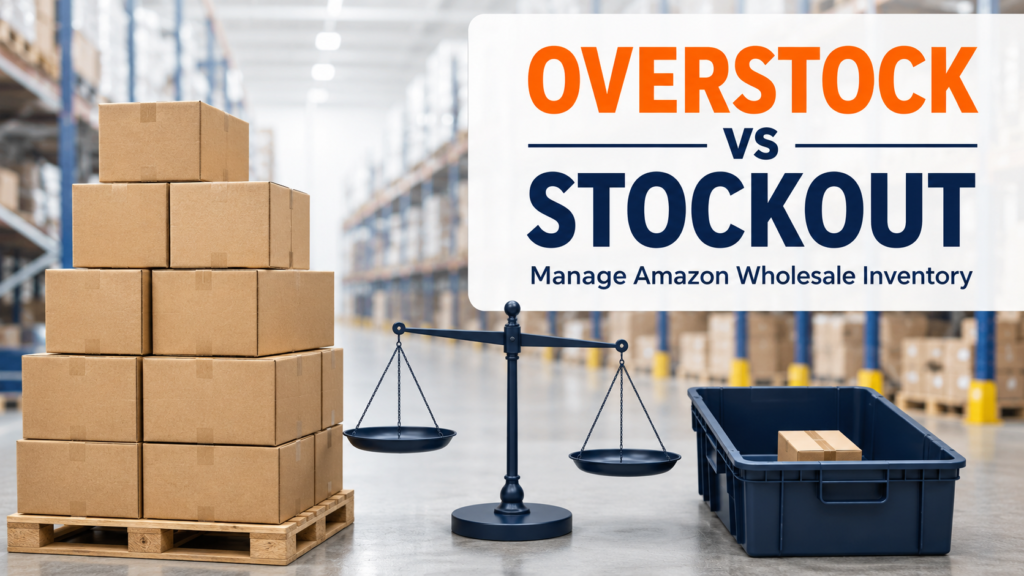
Amazon wholesale inventory management is a balancing act. Order too much stock, and your cash can become tied up in slow-moving products, storage exposure, and unwanted fees. Order too little, and you may run out of stock just when a product is gaining momentum. Both overstock and stockouts can reduce the efficiency of an Amazon FBA business. The answer is not to keep the warehouse full at all times, nor is it to place very small orders out of fear. Instead, successful wholesale sellers use demand signals, lead times, case quantities, and supplier availability to make smarter replenishment decisions. This guide explains how to manage the overstock vs stockout challenge in a practical way, especially when sourcing authentic products from wholesale distributors. Quick Answer Overstock happens when you hold more inventory than you can sell within a reasonable period. A stockout happens when inventory runs out before you can replenish it. Amazon FBA wholesale sellers can reduce both problems by tracking sales velocity, calculating reorder points, considering supplier lead times, checking available case quantities, and avoiding purchases based only on a low unit price. The goal is to keep enough inventory to support sales without carrying more than your business can manage. What Is the Difference Between Overstock and a Stockout? Overstock and stockouts are opposite inventory problems, but both can affect profitability and account performance. What Is Overstock? Overstock means you have purchased more units than your current sales rate can support. The stock may remain at Amazon, a prep center, your warehouse, or another storage location longer than expected. Common signs of overstock include: Overstock is not always caused by poor sourcing. A product may slow down due to seasonality, new competition, price changes, listing changes, or a drop in customer demand. What Is a Stockout? A stockout occurs when you run out of a product before the next shipment is received and made available for sale. For Amazon sellers, a stockout can mean missed sales opportunities. It may also interrupt your sales history and make it harder to maintain consistent momentum when the product returns in stock. A stockout may happen because of: The right inventory strategy considers both risks at the same time. Why Overstock vs Stockout Matters for Amazon FBA Sellers Inventory is one of the biggest uses of capital in a wholesale business. Every case you purchase represents money that cannot be used for other profitable opportunities until the products sell. At the same time, staying in stock on a proven product can be important. When a listing runs out, you may lose sales during the gap and need time to rebuild your sales pace after replenishment. Cash Flow Is Directly Connected to Inventory Wholesale sellers often focus heavily on profit per unit. That matters, but inventory speed matters too. For example, a product with a strong margin may still be a poor choice if it takes many months to sell. Another product with a slightly lower margin may be healthier for the business if it sells consistently and allows you to reinvest capital faster. Before reordering, ask: For a deeper foundation, review our guide on inventory forecasting tips for Amazon wholesale sellers. Forecasting is not about predicting the future perfectly. It is about using real data to make better decisions before money is committed. Stockouts Can Affect More Than Sales A stockout is not simply an empty inventory count. It can affect your planning, advertising decisions, pricing position, and customer momentum. If you know a product takes several weeks to arrive from a supplier and Amazon receives shipments slowly during a busy period, placing your reorder only when inventory is almost gone is risky. The key is to create a reorder point before your inventory reaches zero. Overstock Can Create Hidden Costs Overstock is often expensive in ways sellers do not see immediately. The purchase invoice may look manageable, but the long-term impact can include storage, handling, discounting, and lost reinvestment opportunities. It is also helpful to consider costs beyond the product price, such as prep, inbound shipping, storage, returns, and price changes. Our article on hidden costs that reduce Amazon wholesale profits explains why a product should be evaluated using its full landed cost, not only its wholesale cost. A Step-by-Step Guide to Managing Amazon Wholesale Inventory Step 1: Track Your Average Sales Velocity Sales velocity is the number of units you sell during a defined period, usually per day or per week. For example, if you sell 40 units in 28 days: Use a meaningful period. A seven-day view may be too volatile for some products, while a 90-day average may hide recent changes. Many sellers compare 30-day and 60-day sales data to see whether demand is rising, falling, or remaining stable. Do not rely only on a single strong week. Look for consistency. Step 2: Calculate Your Days of Supply Days of supply tells you how long current inventory may last at the current sales rate. Simple formula: Current sellable units ÷ average daily unit sales = estimated days of supply For example: This gives you a practical picture of when you need to reorder. Step 3: Understand Your Total Lead Time Lead time is not only the time a distributor takes to ship your order. For Amazon FBA, total lead time can include: If the full process takes 21 days, you should not wait until only a few days of stock remain. Always build a reasonable buffer because delays can happen, particularly during peak periods or seasonal demand changes. Step 4: Set a Reorder Point A reorder point is the inventory level that tells you it is time to place another order. A basic formula is: Average daily sales × total lead time + safety stock = reorder point For example: 2 × 21 = 42 units42 + 15 = 57 units In this example, you should consider reordering when inventory reaches around 57 units, not when it reaches zero. Your safety stock should reflect the product’s risk
Inventory Forecasting Tips for Amazon Wholesale Sellers
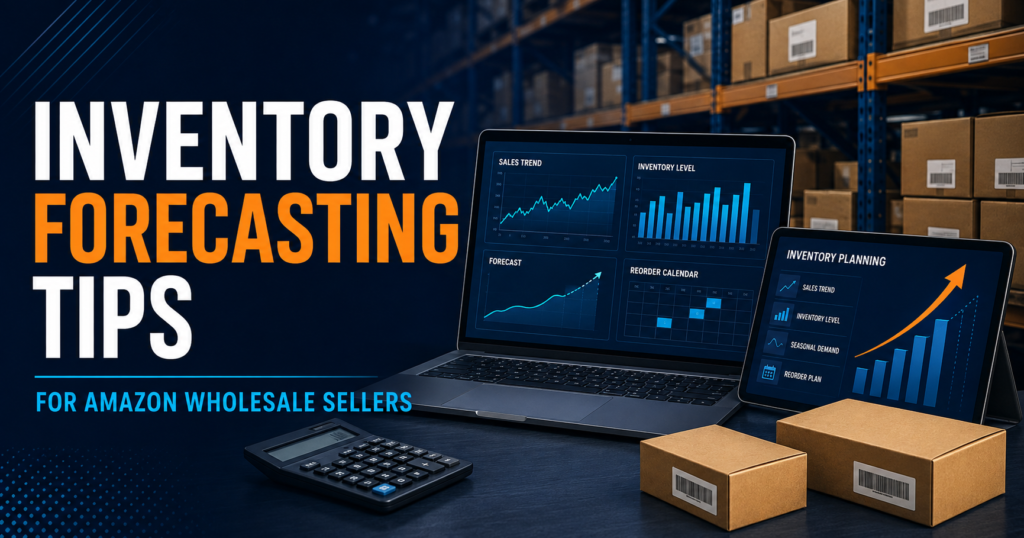
Managing Amazon inventory often feels like trying to hit a moving target. Sales can rise unexpectedly, supplier lead times can change, and a product that performed well last month may slow down after a price change or new competition enters the listing. For wholesale sellers, these uncertainties make purchasing decisions especially important. Ordering too little can increase the risk of a stockout, while ordering too much can tie up working capital and create additional storage pressure. Inventory forecasting helps bring structure to these decisions. By combining actual sales data with lead times, safety stock, seasonality, and supplier information, sellers can plan wholesale orders more carefully instead of relying on assumptions. Quick Answer Inventory forecasting for Amazon wholesale sellers is the process of estimating future unit demand and deciding when and how much inventory to reorder. A simple forecasting process includes: A basic reorder-point formula is: Reorder Point = Average Daily Sales × Total Lead-Time Days + Safety Stock For example, if an ASIN sells eight units per day, takes 25 days to replenish, and needs 80 units of safety stock, its reorder point would be: (8 × 25) + 80 = 280 units When the usable inventory position approaches 280 units, the seller should review whether it is time to place another order. What Is Inventory Forecasting for Amazon Wholesale Sellers? Inventory forecasting uses historical and current sales information to estimate how many units customers may purchase during a future period. The goal is not to predict sales with complete certainty. No forecast can account for every competitor action, price change, shipment delay, or shift in consumer demand. Instead, forecasting gives sellers a practical purchasing range based on measurable information. A useful Amazon FBA forecast usually considers: Wholesale sellers should forecast at the individual SKU or ASIN level. Two products from the same brand can have very different sales rates, competition levels, margins, and lead times. Inventory Forecasting Is More Than Checking Sales A product may have sold 300 units during the last 30 days, but that number alone does not tell you how many units to reorder. You also need to know: Forecasting connects these details to create a more realistic inventory plan. Why Inventory Forecasting Matters for Amazon FBA Sellers It Can Reduce Stockout Risk When an FBA product goes out of stock, the seller can lose potential sales while waiting for replenishment. Advertising may also become less efficient if campaigns must be paused, and the product may lose recent sales momentum. Forecasting helps sellers start the reorder process before stock reaches a critical level. As discussed in our previous guide on how often Amazon sellers should reorder wholesale inventory, sellers should generally use a calculated reorder point instead of following a fixed weekly or monthly schedule. It Helps Protect Working Capital Excess inventory can be just as damaging as insufficient inventory. Money invested in slow-moving stock is unavailable for stronger products, advertising, operating expenses, or new sourcing opportunities. A forecast helps wholesale buyers match purchase quantities with expected demand. This does not remove investment risk, but it can make buying decisions more disciplined. It Supports Better Supplier Planning Placing orders at the last minute can create unnecessary pressure. The product may be unavailable, supplier processing may take longer than expected, or shipping costs may increase if the order becomes urgent. A documented inventory plan gives sellers more time to: It Improves Product Selection Decisions Forecasting is not only useful after a product has been purchased. It can also improve future sourcing decisions. Demand should be reviewed together with competition, pricing stability, and profit potential. Our comparison of product demand versus competition for Amazon FBA explains why sellers should avoid evaluating any single metric in isolation. Step-by-Step Inventory Forecasting Guide Step 1: Collect Sales Data for Multiple Periods Start by gathering unit sales for the last 30, 60, and 90 days. Looking at several periods helps separate recent changes from longer-term demand. For every ASIN, record: Do not forecast from revenue alone. A price change can increase or reduce revenue even if the number of units sold remains similar. Unit sales are generally more useful for inventory planning. Step 2: Remove Distortions From the Sales History Raw sales data may not represent normal demand. Before calculating an average, identify events that influenced performance. Possible distortions include: Suppose an ASIN normally sells six units per day but sold 15 units per day during a one-week promotion. Using 15 units as the future daily average could result in excess inventory after the promotion ends. You do not need to remove every unusual sale. You need to understand why sales changed and whether that change is likely to continue. Step 3: Calculate Average Daily Sales Use the following formula: Average Daily Sales = Units Sold ÷ In-Stock Days If a product sold 240 units during 30 in-stock days: 240 ÷ 30 = 8 units per day If the product was unavailable for six days, do not divide sales by the full calendar period. Including out-of-stock days would make normal demand appear lower than it was. Compare different periods: If the averages are similar, demand may be relatively stable. If they differ significantly, investigate what changed before choosing a forecast rate. Step 4: Calculate the Complete Lead Time Lead time should include every stage between deciding to reorder and the units becoming available for sale. Include: For example: Total estimated lead time: 25 days Use information from previous orders whenever possible. Forecasting with the fastest delivery you have ever received may create an unrealistic plan. Step 5: Set Safety Stock Safety stock is additional inventory used to cover unexpected demand or replenishment delays. A simple method is: Safety Stock = Average Daily Sales × Buffer Days If the product sells eight units per day and you want a 10-day buffer: 8 × 10 = 80 units of safety stock The correct buffer depends on the product. Consider: A consistent product with a dependable domestic supply chain may require a smaller buffer